Your sign-in codes, safe in one place

The six-digit codes that protect your email, bank, social and work accounts, on your phone even without signal. Tap a code to copy it, or let it fill itself in — and back it up, so a new phone is not a lost account.

No account, no sign-up, no email. Three accounts are free for as long as you like; everything else is free for three days.

  • Your keys never leave your phone unless you turn on backup
  • iPhone, Android, and both watches
  • No ads, no tracking, no account

One standard, one QR code, one tap

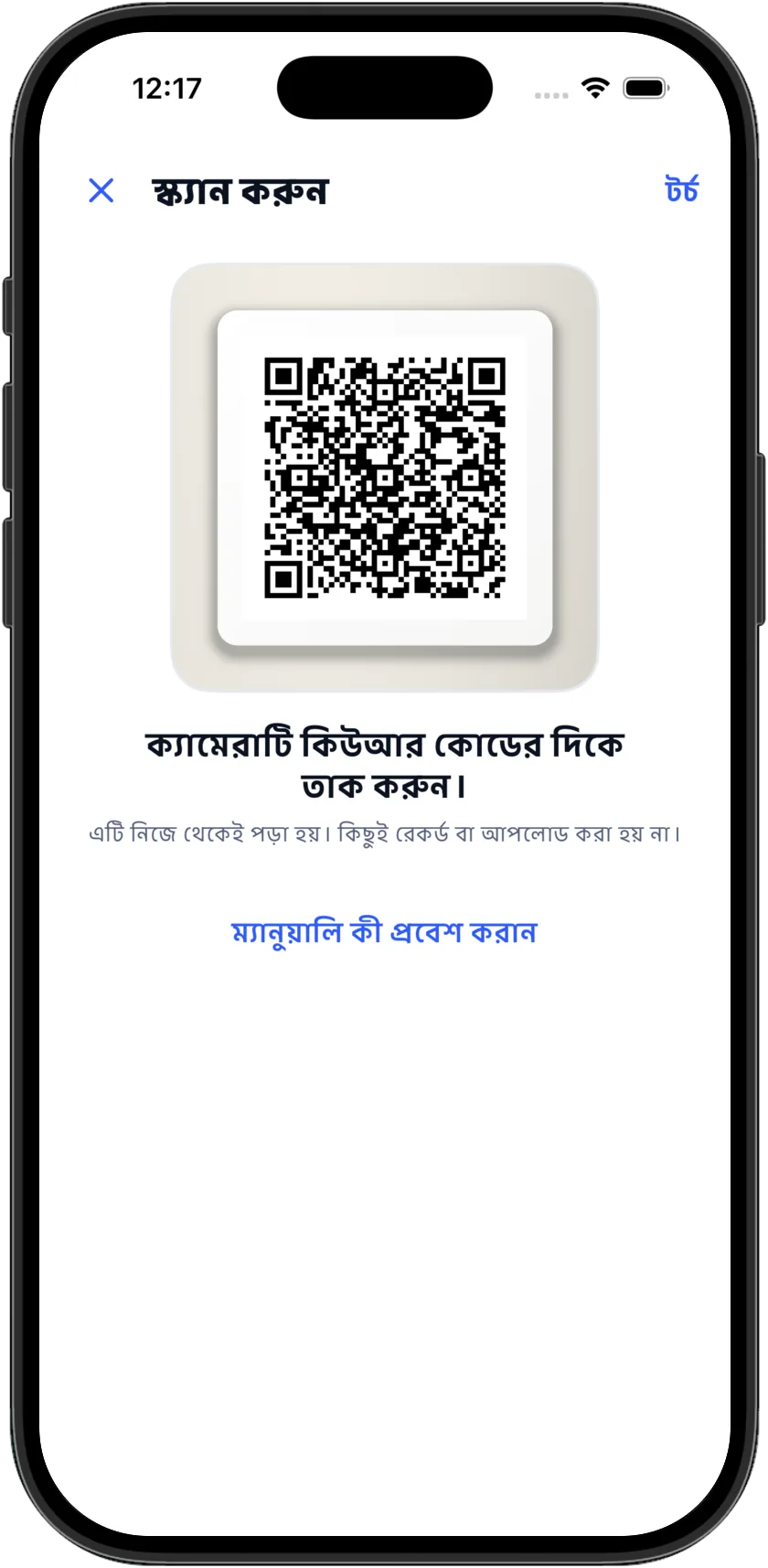
When a website offers two-step verification it shows a QR code. Every authenticator follows the same open standard, which is why that code works here exactly as it would anywhere else: open AssuredAuth, tap the camera, point it at the code. The account is saved and its code is running before you put the phone down.

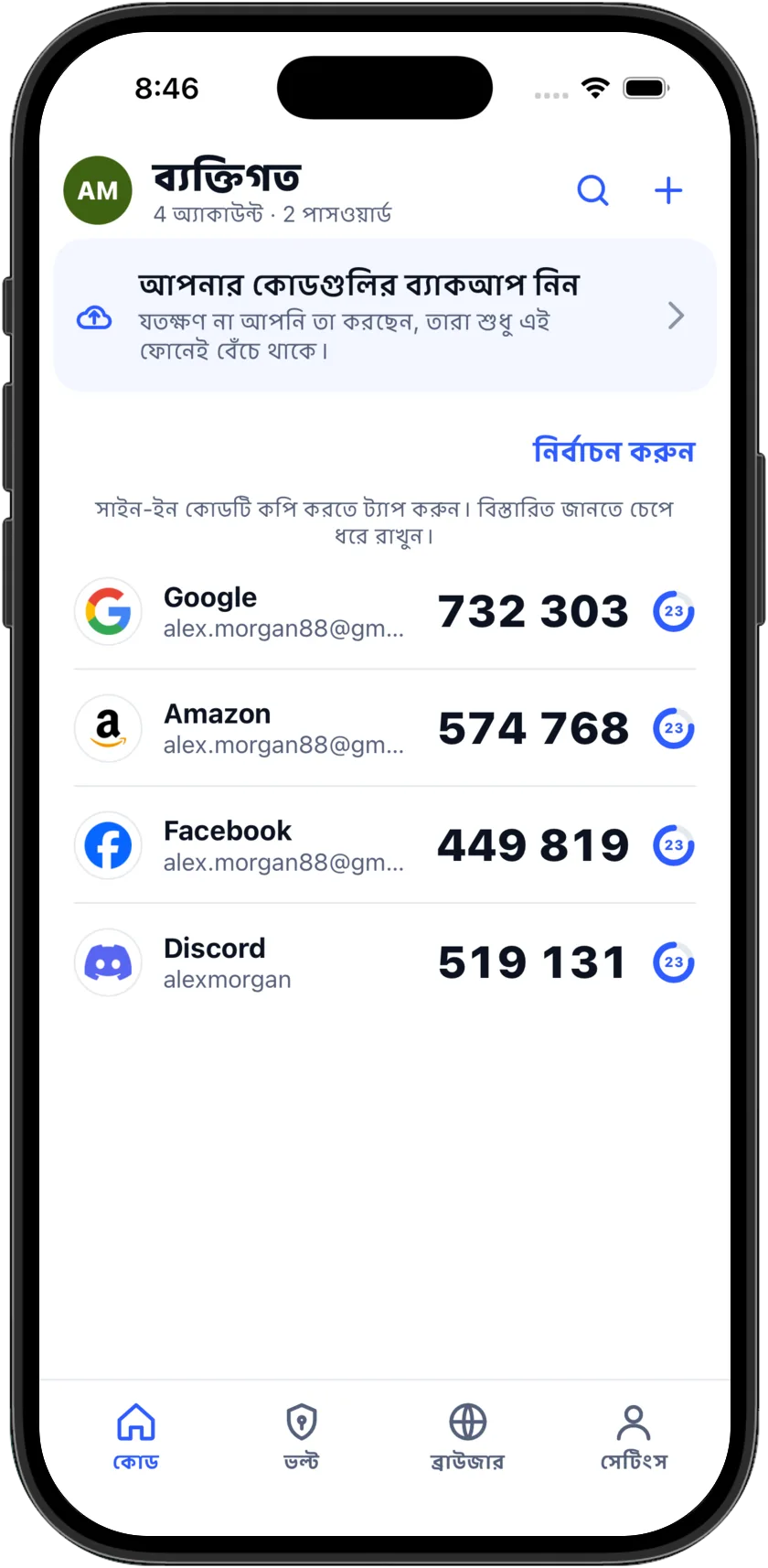
From then on the code is on the first screen every time you open the app. Tap it to copy, or let it fill itself in: on iPhone the code is offered above the keyboard, on Android wherever a code is asked for. Codes are worked out on the phone from a key that stays there, so they work with no signal at all.

Never locked out again

The reason people dread a new phone is the authenticator on the old one. AssuredAuth backs your codes up, moves them anywhere you like, and keeps them where you can read them: on the first screen, on your wrist, and on your home screen.

Every code, one tap away.

The code you came for is on the first screen, in digits you can read across a desk, with a ring counting down the seconds. Tap the card and it is copied; a toast says so, and the clipboard clears itself thirty seconds later.

  • Search across every account and every profile
  • Pinned accounts stay at the top; press and hold to reorder
  • The real logo of more than a thousand services
  • Hide codes until tapped, if you would rather they were not on screen

Move in, move out.

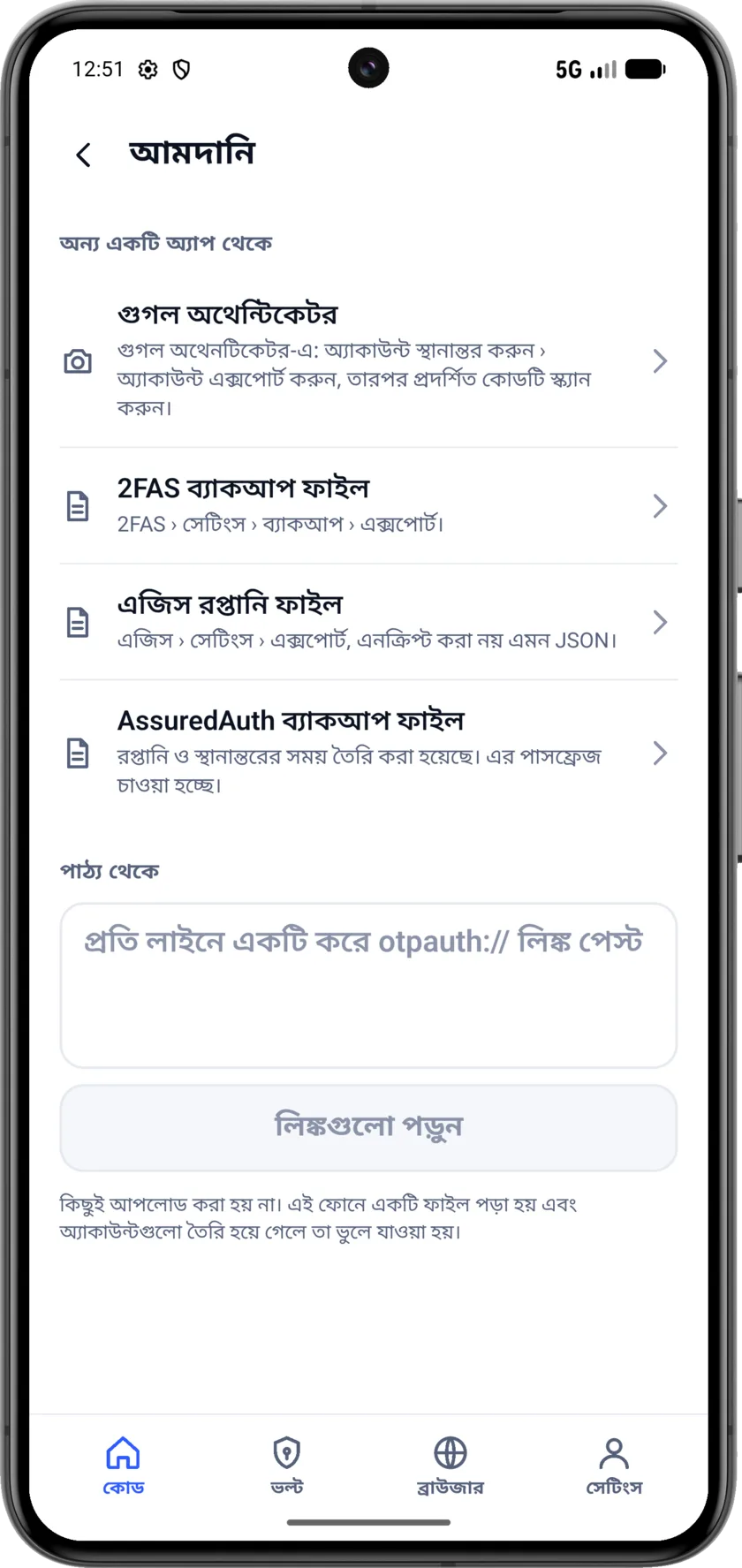
Import from Google Authenticator's transfer QR, from 2FAS and Aegis files, or by pasting links. Export to a transfer QR, an encrypted file, or a file other apps read. Export is free, always: if you ever stop paying, your codes are never held hostage.

  • A transfer QR that Google Authenticator and any other authenticator can read
  • An encrypted backup file with a passphrase you set
  • A 2FAS-format file for the apps that read it
  • Plain text, behind a confirm, when you know what you are doing

Passwords, with nothing on a server to take.

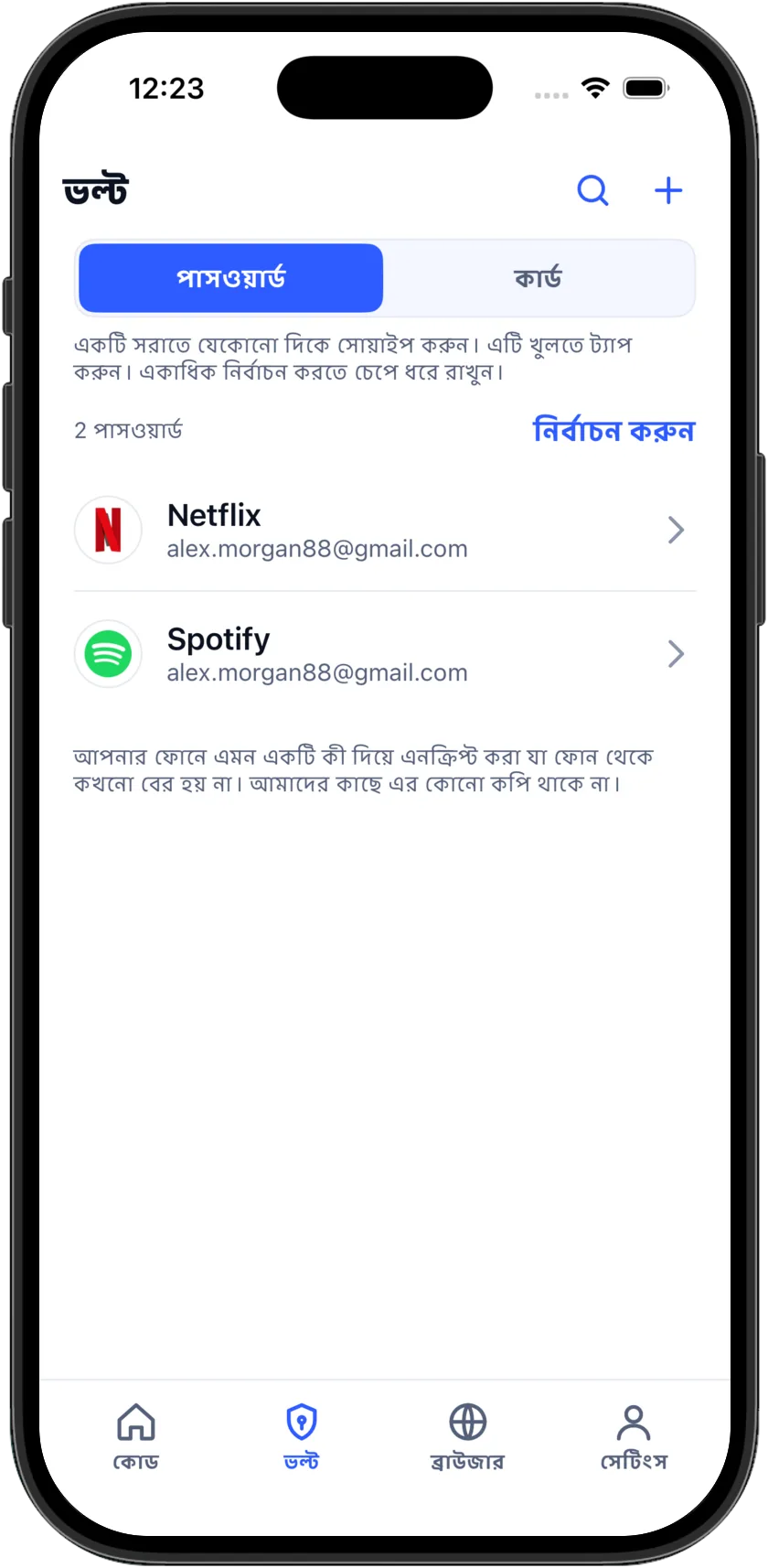
A password vault with a generator, so a strong password is one tap away. Every entry is encrypted on your phone with a key that never leaves it, and there is no server copy anywhere: a backup is sealed with your passphrase before it goes to iCloud or Drive.

  • Generate a strong password and use it in one tap
  • A strength bar, an eye toggle and a Copy button on every entry
  • Fills into apps and websites through the system autofill, after Face ID or your fingerprint
  • A password fills only on the site it was saved for, never on a look-alike

A browser that forgets, on purpose.

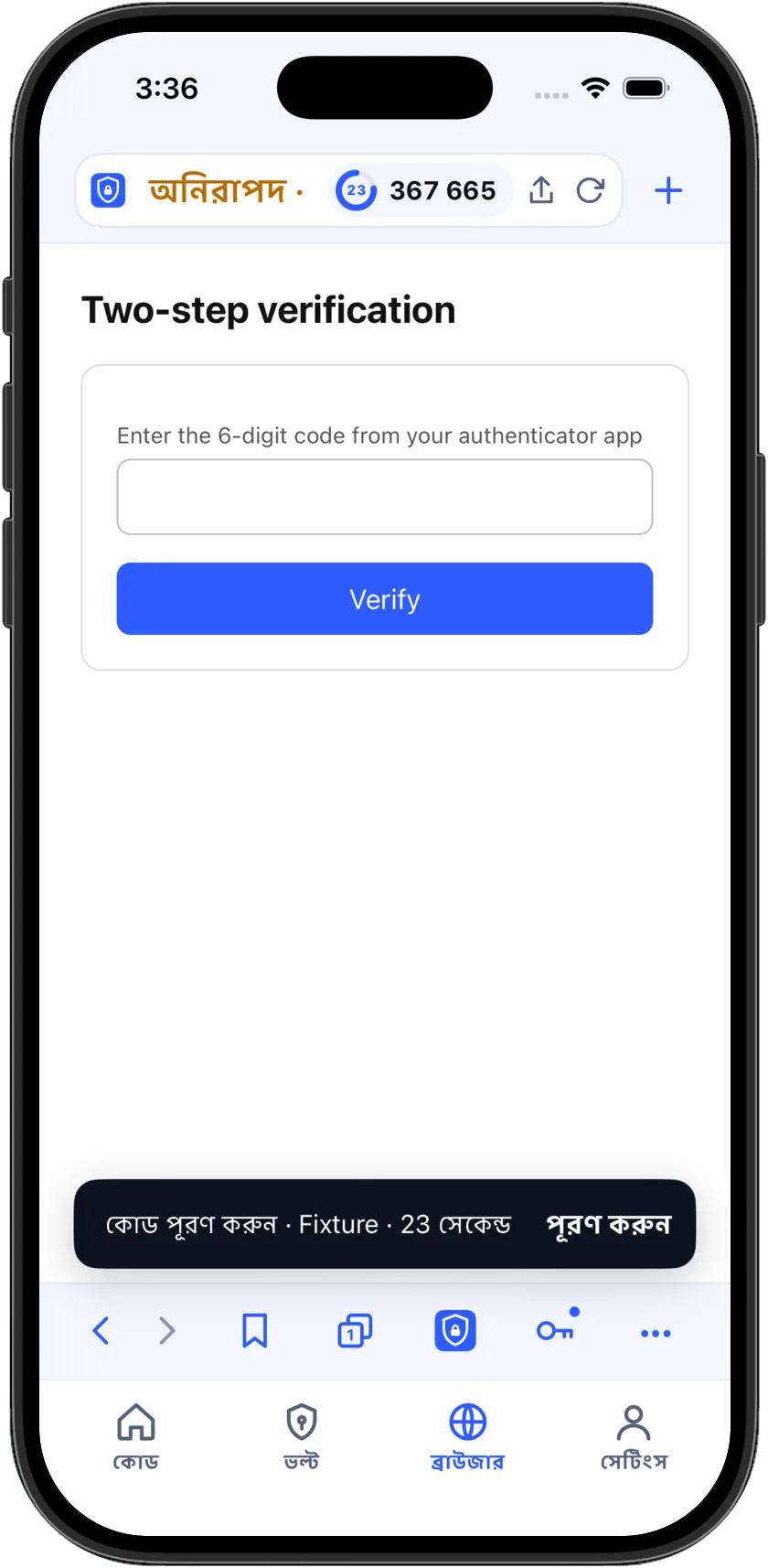
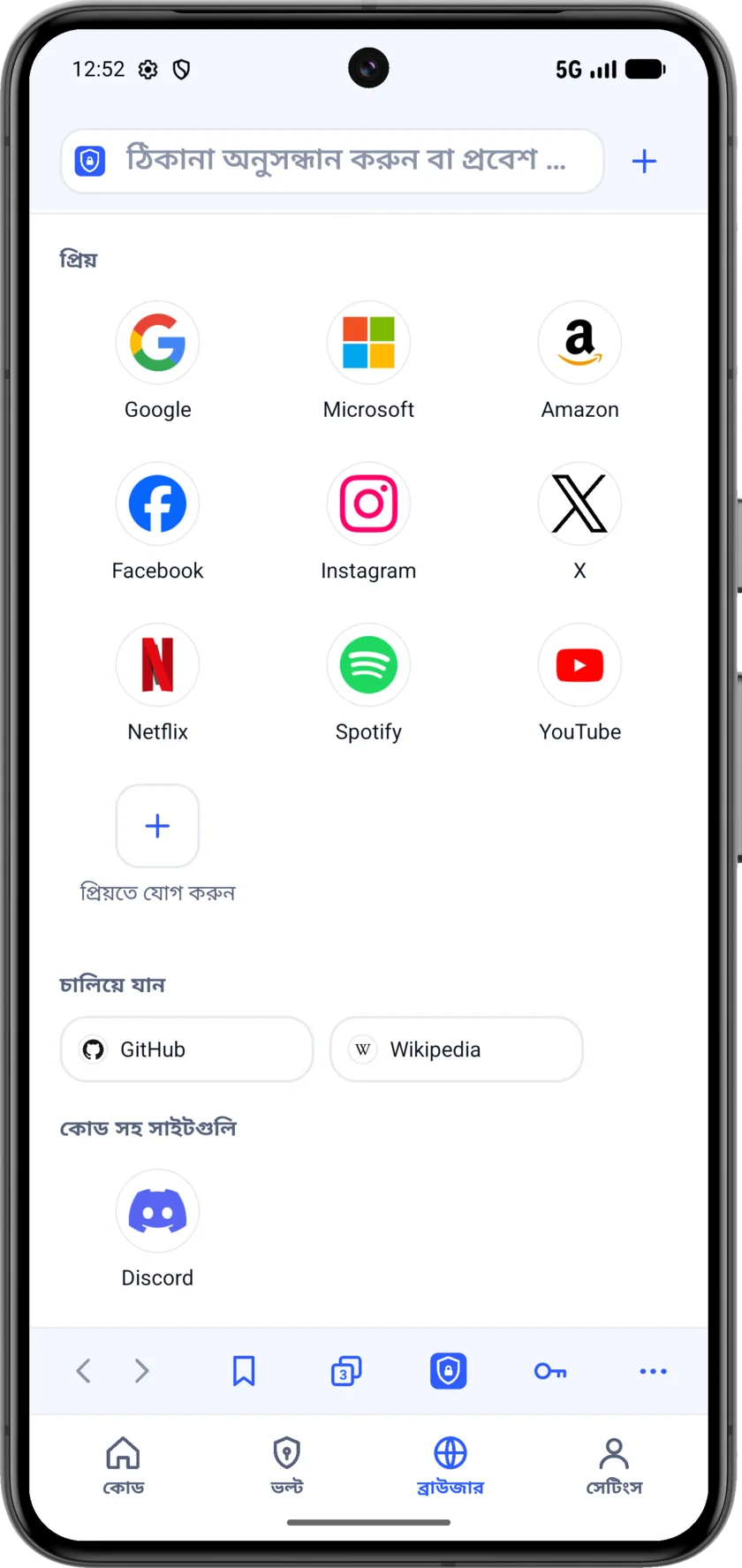
The private browser opens a sign-in page with your codes one tap away, and keeps nothing once you close the tab: no history, no cookies, no sign-ins. One button — the Assured button, our own mark — closes every tab and clears everything, and says so.

  • Your codes as a sheet over the page, so nothing is copied between apps
  • Tabs, bookmarks and favorites, kept encrypted like your passwords
  • Clears itself when you leave the app, unless you say otherwise
  • With Premium+, a private connection hides your address and location from the sites you open here

Private by design, locked by default.

Face ID, Touch ID or your passcode opens the app, and the app locks itself again on a timer you choose. Your keys never leave the phone unless you turn on backup, and the app switcher shows a blank card rather than your codes.

  • Auto-lock the moment you leave, after a minute, or after five
  • Hide codes until tapped
  • The clipboard clears itself thirty seconds after a copy
  • No account, no sign-up, no email

On the screen you already look at.

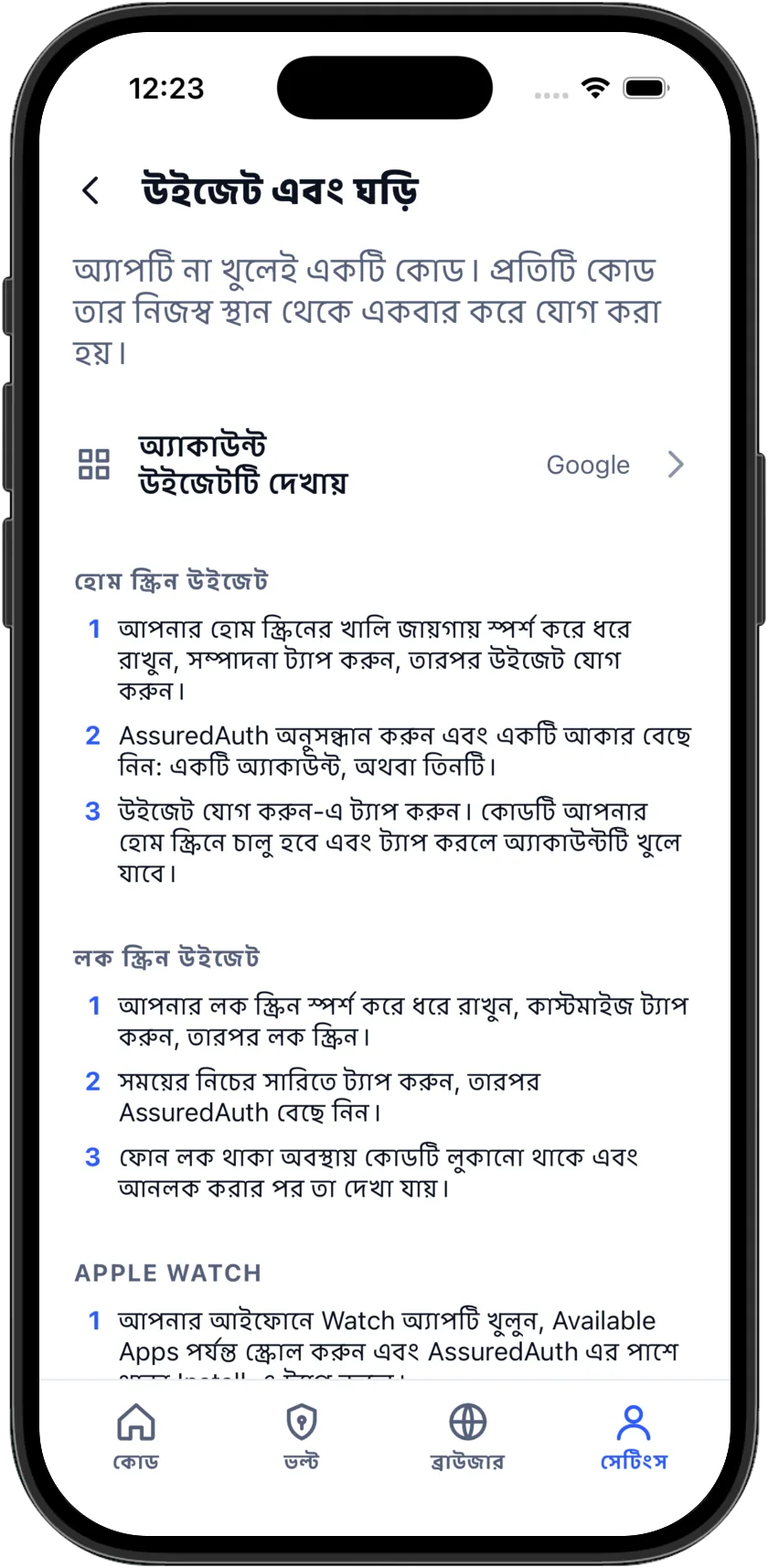
A widget puts one account's code on the home screen and the lock screen, redacted while the phone is locked, and a tap opens that account. The widget and the watch are set up from one screen, with a two-line how-to for each.

  • Home screen and lock screen widgets on iPhone; a home screen widget on Android
  • Choose which account the widget shows
  • Redacted while the phone is locked
  • Small and medium sizes on iPhone; a narrow one for Android

On your wrist, when your phone is in the other room.

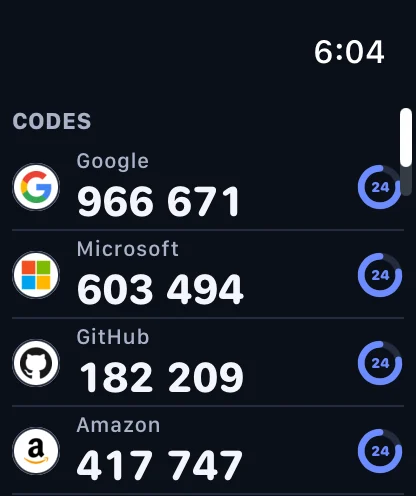
The Apple Watch and Wear OS apps keep your codes on the wrist, worked out there, so they work with the phone out of range. Tap a service for the code at its biggest, with the next one already waiting underneath.

  • Every account, generated on the watch itself
  • Codes keep working out of range
  • On Apple Watch, a complication on the face opens your codes
  • Part of Premium

Your keys are nobody else's business

Not as a setting buried three screens deep — as the way it is built. Your keys, codes and passwords are stored on your phone, and nothing leaves it unless you turn on backup, which is one switch and starts off. There is no account, no sign-up and no email. No advertising, no tracking, no data sold to anyone. The app does send crash reports and a short list of usage events, so a bug can be found and fixed; it has no way to send a key, a code or a password, and you can switch even that off in one tap.

Read the privacy policy

  • Every code is worked out on the device, from a key stored there
  • Backups are encrypted before they leave the phone; Apple and Google never hold a key
  • The browser keeps no history, cookies or sign-ins once you clear or leave
  • Delete the app and it all goes with it — there is no account to delete
  • Crash and usage reports carry no key, no code and no advertising identifier, and switch off

Three accounts free, forever. Everything else, free for three days

Codes for three accounts, import, export and the transfer QR cost nothing and never will, with no account to create. Everything is free for three days; after that, Premium is the layer built on top of them.

3 DAYS FREE
Premium
$9.99
per week
3 days free. Cancel before it ends and there is no charge.
3 DAYS FREE
Premium+
$14.90
per week · with the private connection
Everything in Premium, plus a private connection for the browser.

Free, with no account

Codes for three accounts, for as long as you like. Scan, a picture, or a typed key. Import from Google Authenticator, 2FAS, Aegis and pasted links. Export to a transfer QR, an encrypted file or a file other apps read. Face ID, auto-lock and the clipboard timer. Dark mode and 59 languages.

Nothing you have added is ever hidden, and nothing is held back from your export. If a subscription ends, every code keeps working; what stops is the Premium layer. The price is on the button before you tap it, we remind you the day before a trial ends, and canceling is done from Settings › Subscription, on the store's own page.

Add your first code today

iPhone, iOS 17 or later; codes fill themselves in from iOS 18. Android 8 or later. Apple Watch and Wear OS included.

AssuredAuth generates codes. It does not hold your accounts. Two-step verification is turned on, and off, on each service's own website. If a phone is lost with no backup and no export, the service you sign in to is the one that can let you back in, through its own account recovery — which is why the app asks you to back up before there is a problem, and why export is free on every plan.